
The VMware Cloud Foundation 5.2 Architect Exam (2V0-13.24)
Passing VMware VCP-VCF Architect exam ensures for the successful candidate a powerful array of professional and personal benefits. The first and the foremost benefit comes with a global recognition that validates your knowledge and skills, making possible your entry into any organization of your choice.


2V0-13.24 Exam Dumps
- Exam Code: 2V0-13.24
- Vendor: VMware
- Certifications: VCP-VCF Architect
- Exam Name: VMware Cloud Foundation 5.2 Architect Exam
Why CertAchieve is Better than Standard 2V0-13.24 Dumps
In 2026, VMware uses variable topologies. Basic dumps will fail you.
| Quality Standard | Generic Dump Sites | CertAchieve Premium Prep |
|---|---|---|
| Technical Explanation | None (Answer Key Only) | Step-by-Step Expert Rationales |
| Syllabus Coverage | Often Outdated (v1.0) | 2026 Updated (Latest Syllabus) |
| Scenario Mastery | Blind Memorization | Conceptual Logic & Troubleshooting |
| Instructor Access | No Post-Sale Support | 24/7 Professional Help |
Customers Passed Exams
10
Success backed by proven exam prep tools
Questions Came Word for Word
94%
Real exam match rate reported by verified users
Average Score in Real Testing Centre
86%
Consistently high performance across certifications
Study Time Saved With CertAchieve
60%
Efficient prep that reduces study hours significantly
VMware 2V0-13.24 Exam Domains Q&A
Certified instructors verify every question for 100% accuracy, providing detailed, step-by-step explanations for each.
Question 1
VMware 2V0-13.24
QUESTION DESCRIPTION:
Which Operating System (OS) is not supported by Aria Operations for OS and Application Monitoring?
Correct Answer & Rationale:
Answer: D
Explanation:
[Reference:VMware Aria Operations 8.10 Product Documentation, Supported Operating Systems for Monitoring; VMware Cloud Foundation 5.2 Release Notes., ]
Question 2
VMware 2V0-13.24
QUESTION DESCRIPTION:
An architect is designing a VMware Cloud Foundation (VCF)-based private cloud solution for a customer that will include two physical locations. The customer has stated the following requirement:
All management tooling must be resilient at the component level within a single site.
When considering the design decisions for VMware Aria Suite components, what should the Architect document to meet the stated requirement?
Correct Answer & Rationale:
Answer: C
Explanation:
The requirement specifies that management tooling must be resilient at the component level within a single site, meaning each site’s management components (e.g., VMware Aria Suite) must withstand individual failures without relying on the other site. Let’s evaluate each option in the context of VCF 5.2 and Aria Suite:
Option A: The solution will implement an external load balancer for Aria Operations Cloud Proxies Aria Operations Cloud Proxies collect data for monitoring and don’t inherently require an external load balancer for resiliency within a site. The VMware Aria Operations Administration Guide indicates that proxies are lightweight and typically deployed per cluster, with resiliency achieved via multiple proxies, not load balancing. This doesn’t directly address component-level resiliency for the broader Aria Suite management tools.
Option B: The solution will configure the VCF Workload domain in a stretched topology across two locations A stretched topology extends a workload domain across two sites for site-level resiliency (e.g., disaster recovery), not component-level resiliency within a single site. The VCF 5.2 Architectural Guide notes that stretched clusters rely on cross-site failover, which contradicts the requirement for single-site resilience, making this irrelevant to management tooling within one site.
Option C: The solution will deploy three Aria Automation appliances in a clustered configuration VMware Aria Automation (formerly vRealize Automation) supports a clustered deployment with three appliances (primary, replica, and failover) to ensure high availability within a site. The VMware Aria Automation Installation Guide confirms that this configuration provides component-level resiliency by allowing the cluster to tolerate individual appliance failures without service disruption. In VCF, Aria Automation is a key management tool, and this design meets the requirement for single-site resilience.
Option D: The solution will deploy Aria Suite Lifecycle Manager in a high availability configuration Aria Suite Lifecycle Manager (LCM) manages the lifecycle of Aria components but isn’t deployed in a clustered HA configuration itself in VCF 5.2—it’s a single appliance with backup/restore options. The VCF 5.2 Administration Guide notes that LCM resiliency is typically achieved via infrastructure HA (e.g., vSphere HA), not native clustering, making this less directly aligned with component-level resiliency compared to Aria Automation clustering.
Conclusion: Option C best meets the requirement by ensuring Aria Automation, a critical management tool, is resilient at the component level within a single site through clustering, aligning with VCF and Aria Suite best practices. References:
VMware Cloud Foundation 5.2 Architectural Guide (docs.vmware.com): Management Component Design.
VMware Aria Automation Installation Guide (docs.vmware.com): Clustered Configuration for HA.
VMware Aria Suite Lifecycle Administration Guide (docs.vmware.com): LCM Deployment Options.
Question 3
VMware 2V0-13.24
QUESTION DESCRIPTION:
As part of a VMware Cloud Foundation (VCF) design, an architect is responsible for planning for the migration of existing workloads using HCX to a new VCF environment. Which two prerequisites would the architect require to complete the objective? (Choose two.)
Correct Answer & Rationale:
Answer: C, E
Explanation:
VMware HCX (Hybrid Cloud Extension) is a key workload migration tool in VMware Cloud Foundation (VCF) 5.2, enabling seamless movement of VMs between on-premises environments and VCF instances (or between VCF instances). To plan an HCX-based migration, the architect must ensure prerequisites are met for deployment, connectivity, and operation. Let’s evaluate each option:
Option A: Extended IP spaces for all moving workloads This is incorrect. HCX supports migrations with or without extending IP spaces. Features like HCX vMotion and Bulk Migration allow VMs to retain their IP addresses (Layer 2 extension via Network Extension), while HCX Mobility Optimized Networking (MON) can adapt IPs if needed. Extended IP space is a design choice, not a prerequisite, making this option unnecessary for completing the objective.
Option B: DRS enabled within the VCF instance This is incorrect. VMware Distributed Resource Scheduler (DRS) optimizes VM placement and load balancing within a cluster but is not required for HCX migrations. HCX operates independently of DRS, handling VM mobility across environments (e.g., from a source vSphere to a VCF destination). While DRS might enhance resource management post-migration, it’s not a prerequisite for HCX functionality.
Option C: Service accounts for the applicable appliances This is correct. HCX requires service accounts with appropriate permissions to interact with source and destination environments (e.g., vCenter Server, NSX). In VCF 5.2, HCX appliances (e.g., HCX Manager, Interconnect, WAN Optimizer) need credentials to authenticate and perform operations like VM discovery, migration, and network extension. The architect must ensure these accounts are configured with sufficient privileges (e.g., read/write access in vCenter), making this a critical prerequisite.
Option D: NSX Federation implemented between the VCF instances This is incorrect. NSX Federation is a multi-site networking construct for unified policy management across NSX deployments, but it’s not required for HCX migrations. HCX leverages its own Network Extension service to stretch Layer 2 networks between sites, independent of NSX Federation. While NSX is part of VCF, Federation is an advanced feature unrelated to HCX’s core migration capabilities.
Option E: Active Directory configured as an authentication source This is correct. In VCF 5.2, HCX integrates with the VCF identity management framework, which typically uses Active Directory (AD) via vSphere SSO for authentication. Configuring AD as an authentication source ensures that HCX administrators can log in using centralized credentials, aligning with VCF’s security model. This is a prerequisite for managing HCX appliances and executing migrations securely.
Conclusion: The two prerequisites required for HCX migration in VCF 5.2 are service accounts for the applicable appliances (Option C) to enable HCX operations and Active Directory configured as an authentication source (Option E) for secure access management. These align with HCX deployment and integration requirements in the VCF ecosystem.
References:
VMware Cloud Foundation 5.2 Architecture and Deployment Guide (Section: HCX Integration)
VMware HCX User Guide (VCF 5.2 compatible): Prerequisites and Configuration
VMware Cloud Foundation 5.2 Planning and Preparation Guide (Section: Identity and Access Management)
Question 4
VMware 2V0-13.24
QUESTION DESCRIPTION:
As part of the requirement gathering phase, an architect identified the following requirement for the newly deployed SDDC environment:
Reduce the network latency between two application virtual machines.
To meet the application owner's goal, which design decision should be included in the design?
Correct Answer & Rationale:
Answer: B
Explanation:
The requirement is to reduce network latency between two application virtual machines (VMs) in a VMware Cloud Foundation (VCF) 5.2 SDDC environment. Network latency is influenced by the physical distance and network hops between VMs. In a vSphere environment (core to VCF), VMs on the same ESXi host communicate via the host’s virtual switch (vSwitch or vDS), avoiding physical network traversal, which minimizes latency. Let’s evaluate each option:
Option A: Configure a Storage DRS rule to keep the application virtual machines on the same datastore Storage DRS manages datastore usage and VM placement based on storage I/O and capacity, not network latency. The vSphere Resource Management Guide notes that Storage DRS rules (e.g., VM affinity) affect storage location, not host placement. Two VMs on the same datastore could still reside on different hosts, requiring network communication over physical links (e.g., 10GbE), which doesn’t inherently reduce latency.
Option B: Configure a DRS rule to keep the application virtual machines on the same ESXi host DRS (Distributed Resource Scheduler) controls VM placement across hosts for load balancing and can enforce affinity rules. A “keep together” affinity rule ensures the two VMs run on the same ESXi host, where communication occurs via the host’s internal vSwitch, bypassing physical network latency (typically < 1µs vs. milliseconds over a LAN). The VCF 5.2 Architectural Guide and vSphere Resource Management Guide recommend this for latency-sensitive applications, directly meeting the requirement.
Option C: Configure a DRS rule to separate the application virtual machines to different ESXi hosts A DRS anti-affinity rule forces VMs onto different hosts, increasing network latency as traffic must traverse the physical network (e.g., switches, routers). This contradicts the goal of reducing latency, making it unsuitable.
Option D: Configure a Storage DRS rule to keep the application virtual machines on different datastores A Storage DRS anti-affinity rule separates VMs across datastores, but this affects storage placement, not host location. VMs on different datastores could still be on different hosts, increasing network latency over physical links. This doesn’t address the requirement, per the vSphere Resource Management Guide .
Conclusion: Option B is the correct design decision. A DRS affinity rule ensures the VMs share the same host, minimizing network latency by leveraging intra-host communication, aligning with VCF 5.2 best practices for latency-sensitive workloads. References:
VMware Cloud Foundation 5.2 Architectural Guide (docs.vmware.com): Section on DRS and Workload Placement.
vSphere Resource Management Guide (docs.vmware.com): DRS Affinity Rules and Network Latency Considerations.
VMware Cloud Foundation 5.2 Administration Guide (docs.vmware.com): SDDC Design for Performance.
Question 5
VMware 2V0-13.24
QUESTION DESCRIPTION:
An architect is preparing a VI Workload Domain design with a dedicated NSX instance. The workload domain is planned to grow up to 300 ESXi hosts within the next six months. Which is the minimum NSX Manager form factor that should be recommended by the architect for this VI Workload Domain to support the forecasted growth?
Correct Answer & Rationale:
Answer: A
Explanation:
[Reference:NSX-T 3.2 Reference Design Guide (VCF 5.2 compatible), Section on NSX Manager Sizing; VMware Cloud Foundation 5.2 Deployment Guide, Workload Domain Sizing., ]
Question 6
VMware 2V0-13.24
QUESTION DESCRIPTION:
An architect is planning the deployment of Aria components in a VMware Cloud Foundation environment using SDDC Manager and must prepare a logical diagram with networking connections for particular Aria products. Which are two valid Application Virtual Networks for Aria Operations deployment using SDDC Manager? (Choose two.)
Correct Answer & Rationale:
Answer: B, C
Explanation:
In VMware Cloud Foundation (VCF) 5.2, Aria Operations (formerly vRealize Operations) is deployed via SDDC Manager to monitor the environment. SDDC Manager automates the deployment of Aria components, including networking configuration, using Application Virtual Networks (AVNs). AVNs provide isolated network segments for management components. The question asks for valid AVNs for Aria Operations, which operates within the Management Domain. Let’s evaluate:
VCF Networking Context:
Region-Specific (Region-A) : Refers to a single VCF instance or region, typically the Management Domain’s scope.
Cross-Region (X-Region) : Spans multiple regions or instances, used for components needing broader connectivity.
VLAN-backed : Traditional Layer 2 VLANs on physical switches, common for management traffic.
Overlay-backed : NSX-T virtual segments using Geneve encapsulation, used for flexibility and isolation.
Aria Operations Deployment:
Deployed in the Management Domain by SDDC Manager onto a single cluster.
Requires connectivity to vCenter, NSX, and ESXi hosts for monitoring, typically using management network segments.
SDDC Manager assigns Aria Operations to an AVN during deployment, favoring VLAN-backed segments for simplicity and compatibility with management traffic.
Evaluation:
Option A: Region-A - Overlay backed segment
Overlay segments (NSX-T) are supported in VCF for workload traffic or advanced isolation, but Aria Operations, as a management component, typically uses VLAN-backed segments for direct connectivity to other management services (e.g., vCenter, SDDC Manager). While technically possible, SDDC Manager defaults to VLANs for Aria deployments unless explicitly overridden, making this less standard and not a primary valid choice.
Option B: Region-A - VLAN backed segment
This is correct. A VLAN-backed segment in Region-A aligns with the Management Domain’s networking, where Aria Operations resides. SDDC Manager uses VLANs (e.g., Management VLAN) for management components to ensure straightforward deployment and connectivity to vSphere/NSX. This is a valid and common AVN for Aria Operations in VCF 5.2.
Option C: X-Region - VLAN backed segment
This is correct. An X-Region VLAN-backed segment supports cross-region management traffic, which is valid if Aria Operations monitors multiple VCF instances or domains (e.g., Management and VI Workload Domains across regions). SDDC Manager supports this for broader visibility, making it a valid AVN, especially in multi-site designs.
Option D: X-Region - Overlay backed segment
Similar to Option A, overlay segments are feasible with NSX-T but less common for Aria Operations. X-Region overlay could theoretically work for multi-site monitoring, but SDDC Manager prioritizes VLANs for management simplicity and compatibility. This is not a default or primary valid choice.
Conclusion: The two valid Application Virtual Networks for Aria Operations deployment using SDDC Manager are Region-A - VLAN backed segment (B) and X-Region - VLAN backed segment (C) . These reflect VCF 5.2’s standard use of VLANs for management components, supporting both local and cross-region monitoring scenarios.
References:
VMware Cloud Foundation 5.2 Architecture and Deployment Guide (Section: Aria Operations Deployment)
VMware Cloud Foundation 5.2 Planning and Preparation Guide (Section: Networking for Management Components)
VMware Aria Operations 8.10 Documentation (integrated in VCF 5.2): Network Configuration
Question 7
VMware 2V0-13.24
QUESTION DESCRIPTION:
During the requirements capture workshop, the customer expressed a plan to use Aria Operations Continuous Availability to satisfy the availability requirements for a monitoring solution. They will validate the feature by deploying a Proof of Concept (POC) into an existing low-capacity lab environment. What is the minimum Aria Operations analytics node size the architect can propose for the POC design?
Correct Answer & Rationale:
Answer: A
Explanation:
The customer plans to use Aria Operations Continuous Availability (CA), a feature in VMware Aria Operations (formerly vRealize Operations) introduced in version 8.x and supported in VCF 5.2, to ensure monitoring solution availability. Continuous Availability separates analytics nodes into fault domains (e.g., primary and secondary sites) for high availability, validated here via a POC in a low-capacity lab. The architect must propose the minimum node size that supports CA in this context. Let’s analyze:
Aria Operations Node Sizes: Per the VMware Aria Operations Sizing Guidelines , analytics nodes come in four sizes:
Extra Small: 2 vCPUs, 8 GB RAM (limited to lightweight deployments, no CA support).
Small: 4 vCPUs, 16 GB RAM (entry-level production size).
Medium: 8 vCPUs, 32 GB RAM.
Large: 16 vCPUs, 64 GB RAM.
Continuous Availability Requirements: CA requires at least two analytics nodes (one per fault domain) configured in a split-site topology, with a witness node for quorum. The VMware Aria Operations Administration Guide specifies that CA is supported starting with the Small node size due to resource demands for data replication and failover (e.g., memory for metrics, CPU for processing). Extra Small nodes are restricted to basic standalone or lightweight deployments and lack the capacity for CA’s HA features.
POC in Low-Capacity Lab: A low-capacity lab implies limited resources, but the POC must still validate CA functionality. The VCF 5.2 Architectural Guide notes that Small nodes are the minimum for production-like features like CA, balancing resource use with capability. For a POC, two Small nodes (plus a witness) fit a low-capacity environment while meeting CA requirements, unlike Extra Small, which isn’t supported.
Option A: Small Small nodes (4 vCPUs, 16 GB RAM) are the minimum size for CA, supporting the POC’s goal of validating availability in a lab. This aligns with VMware’s sizing recommendations.
Option B: Medium Medium nodes (8 vCPUs, 32 GB RAM) exceed the minimum, suitable for larger deployments but unnecessary for a low-capacity POC.
Option C: Extra Small Extra Small nodes (2 vCPUs, 8 GB RAM) don’t support CA, as confirmed by the Aria Operations Sizing Guidelines , due to insufficient resources for replication and failover, making them invalid here.
Option D: Large Large nodes (16 vCPUs, 64 GB RAM) are overkill for a low-capacity POC, designed for high-scale environments.
Conclusion: The minimum Aria Operations analytics node size for the POC is Small (A) , enabling Continuous Availability in a low-capacity lab while meeting the customer’s validation goal. References:
VMware Cloud Foundation 5.2 Architectural Guide (docs.vmware.com): Aria Operations Integration and HA Features.
VMware Aria Operations Administration Guide (docs.vmware.com): Continuous Availability Configuration and Requirements.
VMware Aria Operations Sizing Guidelines (docs.vmware.com): Node Size Specifications.
Question 8
VMware 2V0-13.24
QUESTION DESCRIPTION:
An architect is collaborating with a client to design a VMware Cloud Foundation (VCF) solution required for a highly secure infrastructure project that must remain isolated from all other virtual infrastructures. The client has already acquired six high-density vSAN-ready nodes, and there is no budget to add additional nodes throughout the expected lifespan of this project. Assuming capacity is appropriately sized, which VCF architecture model and topology should the architect suggest?
Correct Answer & Rationale:
Answer: C
Explanation:
VMware Cloud Foundation (VCF) 5.2 offers various architecture models (Consolidated, Standard) and topologies (Single/Multiple Instance, Single/Multiple Availability Zones) to meet different requirements. The client’s needs—high security, isolation, six vSAN-ready nodes, and no additional budget—guide the architect’s choice. Let’s evaluate each option:
Option A: Single Instance - Multiple Availability Zone Standard architecture model
This model uses a single VCF instance with separate Management and VI Workload Domains across multiple availability zones (AZs) for resilience. It requires at least four nodes per AZ (minimum for vSAN HA), meaning six nodes are insufficient for two AZs (eight nodes minimum). It also increases complexity and doesn’t inherently enhance isolation from other infrastructures. This option is impractical given the node constraint.
Option B: Single Instance Consolidated architecture model
The Consolidated model runs management and workload components on a single cluster (minimum four nodes, up to eight typically). With six nodes, this is feasible and capacity-efficient, but it compromises isolation because management and user workloads share the same infrastructure. For a “highly secure” and “isolated” project, mixing workloads increases the attack surface and risks compliance, making this less suitable despite fitting the node count.
Option C: Single Instance - Single Availability Zone Standard architecture model
This is the correct answer. The Standard model separates management (minimum four nodes) and VI Workload Domains (minimum three nodes, but often four for HA) within a single VCF instance and AZ. With six nodes, the architect can allocate four to the Management Domain and two to a VI Workload Domain (or adjust based on capacity). A single AZ fits the budget constraint (no extra nodes), and isolation is achieved by dedicating the VCF instance to this project, separate from other infrastructures. The high-density vSAN nodes support both domains, and security is enhanced by logical separation of management and workloads, aligning with VCF 5.2 best practices for secure deployments.
Option D: Multiple Instance - Single Availability Zone Standard architecture model
Multiple VCF instances (e.g., one for management, one for workloads) in a single AZ require separate node pools, each with a minimum of four nodes for vSAN. Six nodes cannot support two instances (eight nodes minimum), making this option unfeasible given the budget and hardware constraints.
Conclusion: The Single Instance - Single Availability Zone Standard architecture model (Option C) is the best fit. It uses six nodes efficiently (e.g., four for Management, two for Workload), ensures isolation by dedicating the instance to the project, and meets security needs through logical separation, all within the budget limitation.
References:
VMware Cloud Foundation 5.2 Architecture and Deployment Guide (Section: Architecture Models and Topologies)
VMware Cloud Foundation 5.2 Planning and Preparation Guide (Section: Sizing and Isolation Considerations)
Question 9
VMware 2V0-13.24
QUESTION DESCRIPTION:
As part of a new VMware Cloud Foundation (VCF) deployment, a customer is planning to implement vSphere IaaS control plane. What component could be installed and enabled to implement the solution?
Correct Answer & Rationale:
Answer: A
Explanation:
[Reference:VMware Cloud Foundation 5.2 Architekt Study Guide, Chapter 6: Automation and Orchestration; VMware Aria Automation 8.10 Product Documentation, vSphere IaaS Integration., ]
Question 10
VMware 2V0-13.24
QUESTION DESCRIPTION:
An architect is designing a VMware Cloud Foundation (VCF)-based Private Cloud solution. During the requirements gathering workshop with customer stakeholders, the following information was captured:
The solution must be capable of deploying 50 concurrent workloads.
The solution must ensure that once submitted, each service does not take longer than 6 hours to provision.
When creating the design documentation, which design quality should be used to classify the stated requirements?
Correct Answer & Rationale:
Answer: C
Explanation:
In VMware Cloud Foundation (VCF) 5.2, design qualities (or non-functional requirements) categorize how the solution meets its objectives. The requirements—“deploying 50 concurrent workloads” and “provisioning each service within 6 hours”—must be classified under a quality that reflects their intent. Let’s evaluate each option:
Option A: Availability Availability ensures the solution is accessible and operational when needed (e.g., uptime percentage). While deploying workloads and provisioning services assume availability, the requirements focus on speed and capacity (50 concurrent workloads, 6-hour limit), not uptime or fault tolerance. This quality doesn’t directly address the stated needs, making it incorrect.
Option B: Recoverability Recoverability addresses the ability to restore services after a failure (e.g., disaster recovery). The requirements don’t mention failure scenarios, backups, or restoration—they focus on provisioning speed and concurrency during normal operation. Recoverability is unrelated to these operational metrics, so this is incorrect.
Option C: Performance This is the correct answer. Performance measures how well the solution executes tasks, including speed, throughput, and capacity. In VCF 5.2:
“Deploying 50 concurrent workloads” is a throughput requirement, ensuring the system can handle multiple deployments simultaneously.
“Each service does not take longer than 6 hours to provision” is a latency or response time requirement, setting a performance boundary. Both align with the performance quality, which governs resource efficiency and user experience in provisioning workflows (e.g., via SDDC Manager or Aria Automation). This classification fits VMware’s design framework.
Option D: Manageability Manageability focuses on ease of administration, monitoring, and maintenance (e.g., automation, UI simplicity). While provisioning workloads involves management, the requirements emphasize how fast and how many —performance metrics—not the ease of managing the process. Manageability might apply to tools enabling this, but it’s not the primary quality here.
Conclusion: The design quality to classify these requirements is Performance (Option C). It directly reflects the solution’s ability to handle 50 concurrent workloads and provision services within 6 hours, aligning with VCF 5.2’s focus on operational efficiency.
References:
VMware Cloud Foundation 5.2 Planning and Preparation Guide (Section: Design Qualities)
VMware Cloud Foundation 5.2 Architecture and Deployment Guide (Section: Performance Considerations)

Verified by Certified Instructors
This VMware 2V0-13.24 study pack was audited and verified on September 23, 2026 by Radia Davenport,. We ensure every technical rationale aligns with real-world enterprise standards.
A Stepping Stone for Enhanced Career Opportunities
Your profile having VCP-VCF Architect certification significantly enhances your credibility and marketability in all corners of the world. The best part is that your formal recognition pays you in terms of tangible career advancement. It helps you perform your desired job roles accompanied by a substantial increase in your regular income. Beyond the resume, your expertise imparts you confidence to act as a dependable professional to solve real-world business challenges.
Your success in VMware 2V0-13.24 certification exam makes your visible and relevant in the fast-evolving tech landscape. It proves a lifelong investment in your career that give you not only a competitive advantage over your non-certified peers but also makes you eligible for a further relevant exams in your domain.
What You Need to Ace VMware Exam 2V0-13.24
Achieving success in the 2V0-13.24 VMware exam requires a blending of clear understanding of all the exam topics, practical skills, and practice of the actual format. There's no room for cramming information, memorizing facts or dependence on a few significant exam topics. It means your readiness for exam needs you develop a comprehensive grasp on the syllabus that includes theoretical as well as practical command.
Here is a comprehensive strategy layout to secure peak performance in 2V0-13.24 certification exam:
- Develop a rock-solid theoretical clarity of the exam topics
- Begin with easier and more familiar topics of the exam syllabus
- Make sure your command on the fundamental concepts
- Focus your attention to understand why that matters
- Ensure hands-on practice as the exam tests your ability to apply knowledge
- Develop a study routine managing time because it can be a major time-sink if you are slow
- Find out a comprehensive and streamlined study resource for your help
Ensuring Outstanding Results in Exam 2V0-13.24!
In the backdrop of the above prep strategy for 2V0-13.24 VMware exam, your primary need is to find out a comprehensive study resource. It could otherwise be a daunting task to achieve exam success. The most important factor that must be kep in mind is make sure your reliance on a one particular resource instead of depending on multiple sources. It should be an all-inclusive resource that ensures conceptual explanations, hands-on practical exercises, and realistic assessment tools.
Certachieve: A Reliable All-inclusive Study Resource
Certachieve offers multiple study tools to do thorough and rewarding 2V0-13.24 exam prep. Here's an overview of Certachieve's toolkit:
VMware 2V0-13.24 PDF Study Guide
This premium guide contains a number of VMware 2V0-13.24 exam questions and answers that give you a full coverage of the exam syllabus in easy language. The information provided efficiently guides the candidate's focus to the most critical topics. The supportive explanations and examples build both the knowledge and the practical confidence of the exam candidates required to confidently pass the exam. The demo of VMware 2V0-13.24 study guide pdf free download is also available to examine the contents and quality of the study material.
VMware 2V0-13.24 Practice Exams
Practicing the exam 2V0-13.24 questions is one of the essential requirements of your exam preparation. To help you with this important task, Certachieve introduces VMware 2V0-13.24 Testing Engine to simulate multiple real exam-like tests. They are of enormous value for developing your grasp and understanding your strengths and weaknesses in exam preparation and make up deficiencies in time.
These comprehensive materials are engineered to streamline your preparation process, providing a direct and efficient path to mastering the exam's requirements.
VMware 2V0-13.24 exam dumps
These realistic dumps include the most significant questions that may be the part of your upcoming exam. Learning 2V0-13.24 exam dumps can increase not only your chances of success but can also award you an outstanding score.
Top Exams & Certification Providers
New & Trending
- New Released Exams
- Related Exam
- Hot Vendor
Verified Performance Reports
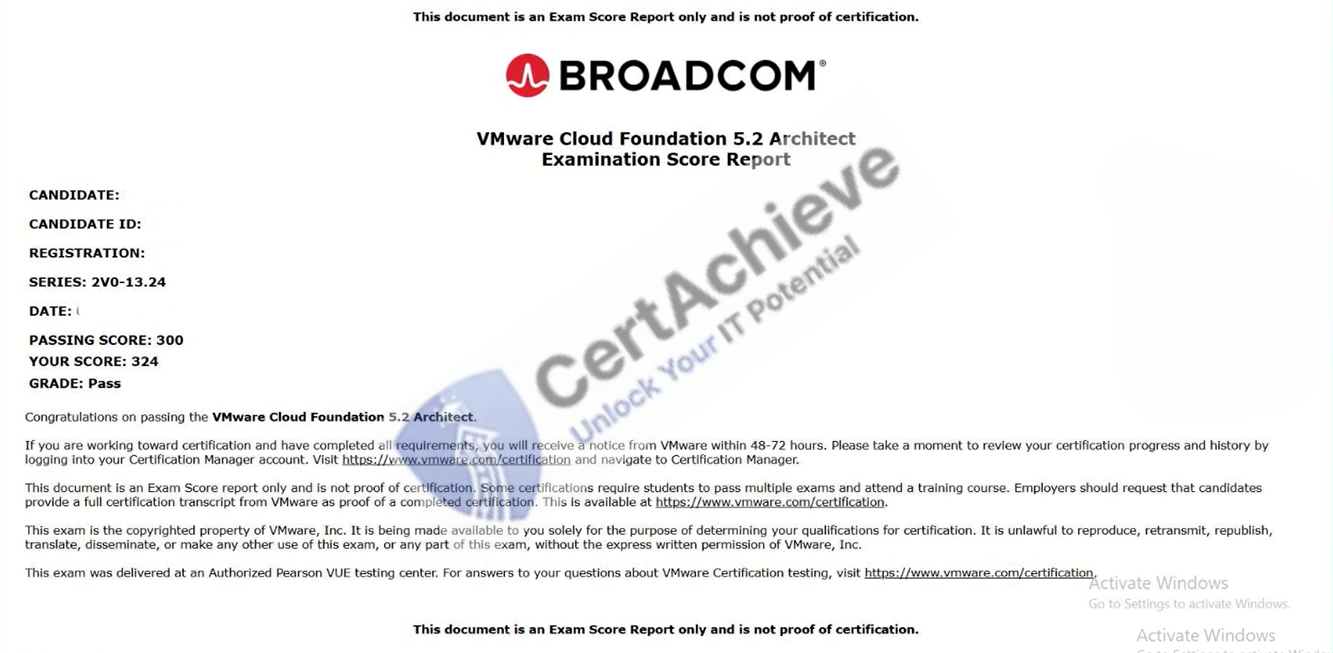
Authentic score reports from candidates who cleared the 2V0-13.24 exam.
Verified Case #1
×
![]()