
The Certified Application Developer - ServiceNow (CAD)
Passing ServiceNow Certified Application Developer exam ensures for the successful candidate a powerful array of professional and personal benefits. The first and the foremost benefit comes with a global recognition that validates your knowledge and skills, making possible your entry into any organization of your choice.


CAD Exam Dumps
- Exam Code: CAD
- Vendor: ServiceNow
- Certifications: Certified Application Developer
- Exam Name: Certified Application Developer - ServiceNow
Why CertAchieve is Better than Standard CAD Dumps
In 2026, ServiceNow uses variable topologies. Basic dumps will fail you.
| Quality Standard | Generic Dump Sites | CertAchieve Premium Prep |
|---|---|---|
| Technical Explanation | None (Answer Key Only) | Step-by-Step Expert Rationales |
| Syllabus Coverage | Often Outdated (v1.0) | 2026 Updated (Latest Syllabus) |
| Scenario Mastery | Blind Memorization | Conceptual Logic & Troubleshooting |
| Instructor Access | No Post-Sale Support | 24/7 Professional Help |
Customers Passed Exams
10
Success backed by proven exam prep tools
Questions Came Word for Word
94%
Real exam match rate reported by verified users
Average Score in Real Testing Centre
90%
Consistently high performance across certifications
Study Time Saved With CertAchieve
60%
Efficient prep that reduces study hours significantly
ServiceNow CAD Exam Domains Q&A
Certified instructors verify every question for 100% accuracy, providing detailed, step-by-step explanations for each.
Question 1
ServiceNow CAD
QUESTION DESCRIPTION:
Which of the following is a good practice for adding instructions to a form?
Correct Answer & Rationale:
Answer: A
Explanation:
" Add instructional text and other design elements to your forms by using form annotations in Form Builder. " https://docs.servicenow.com/bundle/sandiego-application-development/page/administer/form-builder/task/create-form-annotations.html
Question 2
ServiceNow CAD
QUESTION DESCRIPTION:
Which tool is used to define relationships between fields in an import set table and a target table?
Correct Answer & Rationale:
Answer: D
Explanation:
In ServiceNow, when importing data from external sources, the platform utilizes Import Sets to stage the data before transforming it into target tables. The mechanism that defines how data from the Import Set fields map to the fields in an existing ServiceNow table is called a Transform Map.
Transform Map: A Transform Map is a set of field mappings that determine the relationships between fields in an Import Set and fields in an existing ServiceNow table. It allows administrators to define how data should be transformed and inserted into the target table.
servicenow.com
Business Service Management Map: This is not related to data import processes. It pertains to visual representations of business services and their dependencies.
Schema Map Relationship Builder: The Schema Map provides a graphical representation of tables and their relationships within the database schema but does not handle data import mappings.
Data Sources: Data Sources define the origin of the data being imported (e.g., files, JDBC connections) but do not determine the field mappings between Import Sets and target tables.
Question 3
ServiceNow CAD
QUESTION DESCRIPTION:
Which items are valid UI Action types in ServiceNow? (Choose 3 answers)
Correct Answer & Rationale:
Answer: C, D, E
Explanation:
In ServiceNow, UI Actions are elements that make the user interface more interactive and tailored to user activities. They can appear as buttons, links, or context menu items on forms and lists. The valid types of UI Actions include:
C. Form choice: These are UI Actions that appear as choices in form context menus, allowing users to perform specific actions related to the form.
D. Form button: These are buttons that appear on forms, enabling users to execute defined actions directly from the form view.
E. List banner button: These are buttons that appear in the list view ' s banner, providing actions that can be performed on the list or selected records.
The other options are not standard UI Action types:
A. Workflow action: While workflows can include actions, " Workflow action " is not a defined UI Action type in ServiceNow.
B. Record navigation button: This is not a standard term used for UI Action types in ServiceNow.
Question 4
ServiceNow CAD
QUESTION DESCRIPTION:
Which of the following methods is NOT part of the ServiceNow REST API?
Correct Answer & Rationale:
Answer: A
Explanation:
The ServiceNow REST API is a web service that allows you to interact with the ServiceNow platform using HTTP requests and responses. The ServiceNow REST API supports the following methods:
POST: This method allows you to create a new record or execute an action on the ServiceNow platform. For example, you can use the POST method to create an incident or run a script.
GET: This method allows you to retrieve information from the ServiceNow platform. For example, you can use the GET method to get the details of a user or a table.
DELETE: This method allows you to delete a record or a resource from the ServiceNow platform. For example, you can use the DELETE method to delete an attachment or a workflow context.
PUT: This method allows you to update a record or a resource on the ServiceNow platform. For example, you can use the PUT method to update the state of a task or the value of a system property.
PATCH: This method allows you to update a record or a resource on the ServiceNow platform by sending only the changes. For example, you can use the PATCH method to update the short description of an incident or the order of a module.
The method COPY is not part of the ServiceNow REST API. There is no COPY method in the HTTP protocol. To copy a record or a resource on the ServiceNow platform, you need to use the POST method with the clone action.
[References:, ServiceNow REST API overview, ServiceNow REST API methods, [ServiceNow REST API actions], , , , , ]
Question 5
ServiceNow CAD
QUESTION DESCRIPTION:
Which method is used to retrieve Application Property values in a script?
Correct Answer & Rationale:
Answer: A
Explanation:
https://developer.servicenow.com/dev.do#!/learn/learning-plans/tokyo/new_to_servicenow/app_store_learnv2_automatingapps_tokyo_use_application_properties
Question 6
ServiceNow CAD
QUESTION DESCRIPTION:
Which one of the following is the correct Link Type to select when creating a module that opens the Record Producer for a user rather than the ServiceNow form?
Correct Answer & Rationale:
Answer: B
Explanation:
In ServiceNow, to create a module that directs users to a Record Producer (a simplified form for creating records), you should use the " URL (from Arguments) " Link Type. This configuration allows you to specify a direct link to the Record Producer.
Steps to Configure:
Navigate to Module Creation:
Go to the Application Menu where you want to add the module.
Click on " Edit Application Menu " and then " New Module. "
Set Link Type:
In the module ' s configuration, set the Link Type to " URL (from Arguments). "
Define the URL:
In the Arguments field, provide the URL to the Record Producer. The URL typically follows this pattern:
arduino
CopyEdit
servicenow_instance_url/com.glideapp.servicecatalog_cat_item_view.do?sysparm_id=record_producer_sys_id
Replace servicenow_instance_url with your instance ' s URL and record_producer_sys_id with the sys_id of the Record Producer.
Explanation of Other Options:
HTML (from Arguments): Used to display custom HTML content. Not suitable for linking directly to Record Producers.
Content Page: Used to display predefined content pages within ServiceNow. Not applicable for direct Record Producer links.
Script (from Arguments): Allows execution of a script to determine the module ' s behavior. This is more complex and unnecessary for simply linking to a Record Producer.
[Reference: For more detailed information, please refer to the official ServiceNow documentation on Creating Modules., , , , , ]
Question 7
ServiceNow CAD
QUESTION DESCRIPTION:
(How does a user make additional changes to the update set once the update set has been marked complete?)
Correct Answer & Rationale:
Answer: A
Explanation:
Update sets are designed to capture configuration changes while an update set is In progress. Marking an update set Complete is a control point that indicates you are done collecting changes into that set, typically because it is ready to be moved, reviewed, or committed. After completion, the expected and documented practice is to create a new update set for any additional work. This preserves the integrity of the completed set as a stable package of changes and supports clean promotion, troubleshooting, and rollback planning. Deleting the completed update set is not the recommended workflow and can result in losing the historical packaging of captured updates. Modifying a completed update set directly is also not the standard approach because completion is used to prevent accidental addition of further changes and to keep the set consistent for migration. “Reverting to In progress” is not the normal supported lifecycle step for a completed update set in the context of adding more changes. Therefore, the correct approach is to start a new update set and continue development there, keeping the completed set unchanged.
Question 8
ServiceNow CAD
QUESTION DESCRIPTION:
What happens if a Record Producer script aborts the record generation process in ServiceNow?
Correct Answer & Rationale:
Answer: A
Explanation:
A Record Producer creates a target record from Service Catalog input. If the Record Producer script aborts record generation, ServiceNow does not create the produced record tracking entry in the Item Produced Record [sc_item_produced_record] table. This is different from simply redirecting the user or showing an error message. User notification depends on whether the developer explicitly adds a message, such as an error message, in the script. The key CAD concept is that aborting the database action prevents the generated record process from completing. Therefore, the most accurate option is A, because no produced-record entry exists when generation is stopped.
================
Question 9
ServiceNow CAD
QUESTION DESCRIPTION:
Which client-side scoped API class can be used as a replacement for GlideRecord?
Correct Answer & Rationale:
Answer: B
Explanation:
In scoped applications, client-side GlideRecord is not supported. The recommended pattern is to move the database query or server-side processing into a Script Include and call it from the client using GlideAjax. GlideAjax allows a client script to call server-side code asynchronously and return only the needed result to the browser. GlideForm is used to manipulate form fields, GlideDialogWindow is for dialog windows in older UI patterns, and GlideElement is not the replacement for client-side database access. From a CAD best-practice perspective, GlideAjax also avoids inefficient client-side database queries and supports better separation between client logic and server logic. Therefore, B is correct.
================
Question 10
ServiceNow CAD
QUESTION DESCRIPTION:
What is a limitation when using record producers in ServiceNow?
Correct Answer & Rationale:
Answer: C
Explanation:
While record producers are powerful tools for creating records via the Service Catalog, they cannot natively redirect users after submission. Redirection typically requires script hacks or custom widget configurations.
From ServiceNow Docs (Catalog Scripting):
“By default, record producers return the user to the catalog homepage. Redirection requires scripting using producer scripts or custom client logic.”

Verified by Certified Instructors
This ServiceNow CAD study pack was audited and verified on November 7, 2026 by John Prescott,. We ensure every technical rationale aligns with real-world enterprise standards.
A Stepping Stone for Enhanced Career Opportunities
Your profile having Certified Application Developer certification significantly enhances your credibility and marketability in all corners of the world. The best part is that your formal recognition pays you in terms of tangible career advancement. It helps you perform your desired job roles accompanied by a substantial increase in your regular income. Beyond the resume, your expertise imparts you confidence to act as a dependable professional to solve real-world business challenges.
Your success in ServiceNow CAD certification exam makes your visible and relevant in the fast-evolving tech landscape. It proves a lifelong investment in your career that give you not only a competitive advantage over your non-certified peers but also makes you eligible for a further relevant exams in your domain.
What You Need to Ace ServiceNow Exam CAD
Achieving success in the CAD ServiceNow exam requires a blending of clear understanding of all the exam topics, practical skills, and practice of the actual format. There's no room for cramming information, memorizing facts or dependence on a few significant exam topics. It means your readiness for exam needs you develop a comprehensive grasp on the syllabus that includes theoretical as well as practical command.
Here is a comprehensive strategy layout to secure peak performance in CAD certification exam:
- Develop a rock-solid theoretical clarity of the exam topics
- Begin with easier and more familiar topics of the exam syllabus
- Make sure your command on the fundamental concepts
- Focus your attention to understand why that matters
- Ensure hands-on practice as the exam tests your ability to apply knowledge
- Develop a study routine managing time because it can be a major time-sink if you are slow
- Find out a comprehensive and streamlined study resource for your help
Ensuring Outstanding Results in Exam CAD!
In the backdrop of the above prep strategy for CAD ServiceNow exam, your primary need is to find out a comprehensive study resource. It could otherwise be a daunting task to achieve exam success. The most important factor that must be kep in mind is make sure your reliance on a one particular resource instead of depending on multiple sources. It should be an all-inclusive resource that ensures conceptual explanations, hands-on practical exercises, and realistic assessment tools.
Certachieve: A Reliable All-inclusive Study Resource
Certachieve offers multiple study tools to do thorough and rewarding CAD exam prep. Here's an overview of Certachieve's toolkit:
ServiceNow CAD PDF Study Guide
This premium guide contains a number of ServiceNow CAD exam questions and answers that give you a full coverage of the exam syllabus in easy language. The information provided efficiently guides the candidate's focus to the most critical topics. The supportive explanations and examples build both the knowledge and the practical confidence of the exam candidates required to confidently pass the exam. The demo of ServiceNow CAD study guide pdf free download is also available to examine the contents and quality of the study material.
ServiceNow CAD Practice Exams
Practicing the exam CAD questions is one of the essential requirements of your exam preparation. To help you with this important task, Certachieve introduces ServiceNow CAD Testing Engine to simulate multiple real exam-like tests. They are of enormous value for developing your grasp and understanding your strengths and weaknesses in exam preparation and make up deficiencies in time.
These comprehensive materials are engineered to streamline your preparation process, providing a direct and efficient path to mastering the exam's requirements.
ServiceNow CAD exam dumps
These realistic dumps include the most significant questions that may be the part of your upcoming exam. Learning CAD exam dumps can increase not only your chances of success but can also award you an outstanding score.
Top Exams & Certification Providers
New & Trending
- New Released Exams
- Related Exam
- Hot Vendor
Verified Performance Reports
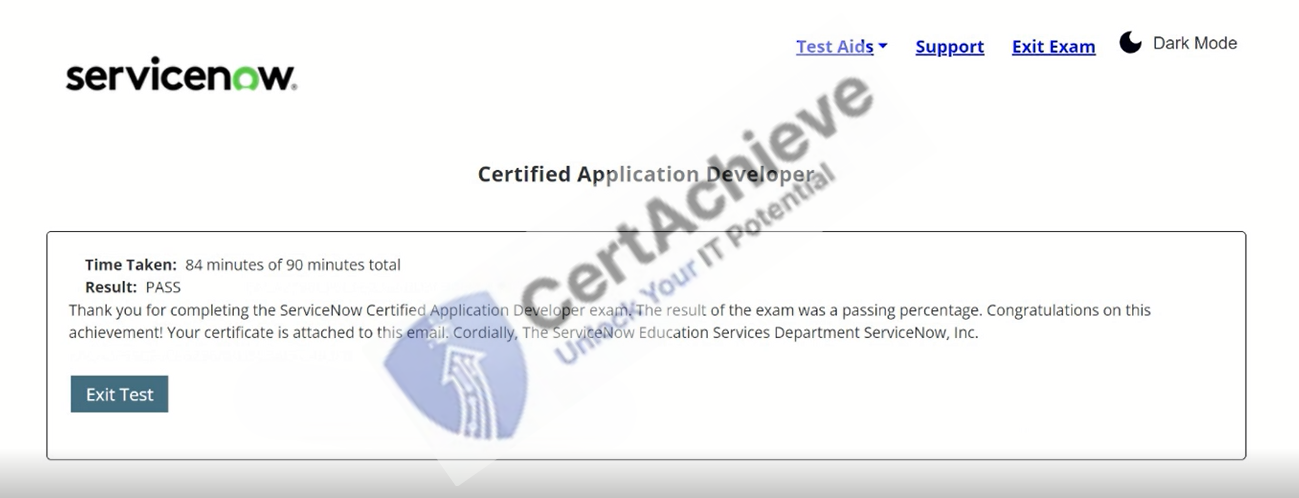
Authentic score reports from candidates who cleared the CAD exam.
Verified Case #1
×
![]()