
The Dell PowerEdge Operate 2023 (D-PE-OE-23)
Passing DELL EMC DECA-PowerEdge exam ensures for the successful candidate a powerful array of professional and personal benefits. The first and the foremost benefit comes with a global recognition that validates your knowledge and skills, making possible your entry into any organization of your choice.


D-PE-OE-23 Exam Dumps
- Exam Code: D-PE-OE-23
- Vendor: DELL EMC
- Certifications: DECA-PowerEdge
- Exam Name: Dell PowerEdge Operate 2023
Why CertAchieve is Better than Standard D-PE-OE-23 Dumps
In 2026, DELL EMC uses variable topologies. Basic dumps will fail you.
| Quality Standard | Generic Dump Sites | CertAchieve Premium Prep |
|---|---|---|
| Technical Explanation | None (Answer Key Only) | Step-by-Step Expert Rationales |
| Syllabus Coverage | Often Outdated (v1.0) | 2026 Updated (Latest Syllabus) |
| Scenario Mastery | Blind Memorization | Conceptual Logic & Troubleshooting |
| Instructor Access | No Post-Sale Support | 24/7 Professional Help |
Customers Passed Exams
10
Success backed by proven exam prep tools
Questions Came Word for Word
86%
Real exam match rate reported by verified users
Average Score in Real Testing Centre
86%
Consistently high performance across certifications
Study Time Saved With CertAchieve
60%
Efficient prep that reduces study hours significantly
DELL EMC D-PE-OE-23 Exam Domains Q&A
Certified instructors verify every question for 100% accuracy, providing detailed, step-by-step explanations for each.
Question 1
DELL EMC D-PE-OE-23
QUESTION DESCRIPTION:
Which configuration settings are installed when using Easy Restore?
Correct Answer & Rationale:
Answer: A
Explanation:
Understanding Easy Restore Functionality
Server Troubleshooting (32%)
Explain Easy Restore, diagnostic utilities, and hardware diagnostic options
What is Easy Restore?
Easy Restore is a feature in Dell PowerEdge servers that simplifies the process of restoring system configuration settings after replacing the system board (motherboard).
Purpose :
Reduces downtime by automatically restoring critical configuration settings.
Eliminates the need to manually reconfigure settings after hardware replacement.
Configuration Settings Restored by Easy Restore
BIOS Settings :
Restores all BIOS configurations, including boot order, system settings, and performance options.
iDRAC Settings :
Restores Integrated Dell Remote Access Controller (iDRAC) configurations, such as network settings, user accounts, and management preferences.
NIC (Network Interface Card) Settings :
Restores network configurations for onboard NICs, including IP addresses, VLAN settings, and teaming configurations.
Explanation of Options
Option A : " BIOS, iDRAC, and NIC "
Analysis :
Accurately reflects the settings restored by Easy Restore.
BIOS : System configuration and hardware settings.
iDRAC : Remote management settings.
NIC : Network configurations.
Conclusion : Correct Answer .
Option B : " Virtual console, network, and SCP "
Analysis :
Virtual Console : Part of iDRAC features but not a configuration setting restored separately.
SCP (Server Configuration Profile) : Used for exporting/importing configurations but not directly restored by Easy Restore.
Conclusion : Inaccurate.
Option C : " iDRAC, BOSS, and partitions "
Analysis :
BOSS (Boot Optimized Storage Solution) : A storage controller for boot drives; its settings are not restored by Easy Restore.
Partitions : Disk partitions are not restored by Easy Restore.
Conclusion : Incorrect.
Option D : " Asset tag, passwords, and RAID "
Analysis :
Asset Tag : Restored by Easy Restore.
Passwords : May or may not be restored, depending on security policies.
RAID Configuration : Not restored by Easy Restore; requires separate backup and restoration procedures.
Conclusion : Partially correct but not the best answer.
Dell Operate References
Server Troubleshooting (32%)
Explain Easy Restore, diagnostic utilities, and hardware diagnostic options : Understanding what configurations Easy Restore handles is essential for efficient troubleshooting and system recovery.
Server Components (26%)
Define the different processor, memory options, and memory configurations : Knowing how system configurations are managed and restored.
Conclusion
Easy Restore reinstalls configuration settings for the BIOS , iDRAC , and NIC . This feature ensures that critical system configurations are preserved after replacing the system board, minimizing downtime and administrative effort.
Question 2
DELL EMC D-PE-OE-23
QUESTION DESCRIPTION:
A server is experiencing latency issues, and the end user was told to disable C States and C1E.
Where can these settings be checked in the BIOS?
Correct Answer & Rationale:
Answer: C
Explanation:
Locating C States and C1E Settings in the BIOS
System Administration (18%)
Configure BIOS, Storage, virtual media, networking, user access, lockdown mode, and group management
Understanding C States and C1E
C States : CPU power management features that allow the processor to enter low-power idle states to conserve energy when idle.
C1E : Enhanced C1 state; a deeper power-saving mode that reduces CPU voltage and frequency.
Impact on Performance
While these features save power, they can introduce latency due to the time required for the CPU to transition between power states.
Disabling C States and C1E can improve performance and reduce latency, which is crucial for latency-sensitive applications.
Locating the Settings in BIOS
Enter BIOS Setup
During server startup, press F2 to enter the System Setup (BIOS) utility.
Navigate to System Profile Settings
In the BIOS menu, select System BIOS .
Then select System Profile Settings .
Adjust C States and C1E Settings
Within System Profile Settings , you can:
Set the System Profile to Performance to automatically disable power-saving features.
Manually disable C States and C1E under CPU Power Management if customization is needed.
Explanation of Options
Option A: Processor Settings
Analysis : While this section includes CPU-related configurations, power management settings like C States and C1E are typically located under System Profile Settings.
Conclusion : Incorrect.
Option B: Miscellaneous Settings
Analysis : This section covers various unrelated settings and does not include CPU power management options.
Conclusion : Incorrect.
Option C: System Profile Settings
Analysis : This is the correct location for adjusting power management features affecting CPU performance and latency.
Conclusion : Correct Answer .
Option D: System Information
Analysis : This section displays hardware information and does not allow configuration changes.
Conclusion : Incorrect.
Dell Operate References
System Administration (18%)
Configure BIOS : Mastery of BIOS settings is essential for optimizing server performance and addressing issues like latency.
Server Components (26%)
Define the different processor, memory options, and memory configurations : Understanding how CPU settings affect overall system performance.
Conclusion
To address latency issues by disabling C States and C1E, the settings can be found and adjusted in the System Profile Settings section of the BIOS.
Question 3
DELL EMC D-PE-OE-23
QUESTION DESCRIPTION:
What are two use cases for using a graphic processing unit (GPU)?
(Select 2)
Correct Answer & Rationale:
Answer: C, E
Explanation:
Understanding GPU Use Cases
Server Components (26%)
Explain how expansion cards are connected and the features of the GPU
Overview of GPUs in Servers
Graphics Processing Units (GPUs) are specialized processors designed to handle complex mathematical computations, particularly those involving parallel processing.
Use Cases :
High-Performance Computing (HPC)
Artificial Intelligence (AI) and Machine Learning
Real-Time Data Processing
Modeling and Simulation
Evaluation of Options
Option A: Programmable for a particular application-specific purpose
Explanation : This describes Field-Programmable Gate Arrays (FPGAs), not GPUs. FPGAs can be programmed for specific tasks at the hardware level.
Conclusion : Not a typical GPU use case.
Option B: Improve performance by accelerating networking hardware
Explanation : Network acceleration is typically achieved using specialized network interface cards (NICs) or SmartNICs, not GPUs.
Conclusion : Not a GPU use case.
Option C: Model and analyze signal data streams in real time
Explanation : GPUs excel at processing large amounts of data in parallel, making them ideal for real-time signal processing and data stream analysis.
Conclusion : Correct Answer
Option D: Isolate tenants from host management in a cloud landlord-tenant setting
Explanation : This pertains to virtualization and security features, such as virtual machines and hypervisors, not specifically GPUs.
Conclusion : Not a GPU use case.
Option E: Accelerate HPC and AI by using financial data for analysis of risk and return
Explanation : GPUs accelerate HPC and AI workloads by handling complex computations efficiently. Analyzing financial data for risk and return is a common AI application that benefits from GPU acceleration.
Conclusion : Correct Answer
Dell Operate References
Server Components (26%)
Explain how expansion cards are connected and the features of the GPU : Understanding the role of GPUs in enhancing server capabilities for specific workloads.
Conclusion
The two correct use cases for GPUs are:
Option C : Modeling and analyzing signal data streams in real time.
Option E : Accelerating HPC and AI tasks, such as analyzing financial data for risk assessment.
These use cases leverage the GPU ' s ability to process large volumes of data efficiently, improving performance for compute-intensive applications.
Question 4
DELL EMC D-PE-OE-23
QUESTION DESCRIPTION:
Which two memory settings optimize a PowerEdge 16G server to support VMware ESXi?
Correct Answer & Rationale:
Answer: C
Explanation:
Optimizing Memory Settings for VMware ESXi on a Dell PowerEdge 16G Server
Server Components (26%)
Define the different processor, memory options, and memory configurations
Understanding Memory Configuration Options
When configuring a Dell PowerEdge 16th Generation (16G) server to support VMware ESXi, it ' s crucial to optimize memory settings for performance and reliability. The two memory settings that best optimize the server for VMware ESXi are:
Balanced Memory Configuration
Optimizer Mode
1. Balanced Memory Configuration
Explanation : A balanced memory configuration ensures that memory modules (DIMMs) are evenly distributed across all memory channels and CPUs. This maximizes memory bandwidth and performance by enabling the server to utilize all available memory channels effectively.
Benefits for VMware ESXi :
Improved Performance : Balanced configurations reduce memory latency and increase throughput, which is essential for virtualization workloads.
Enhanced Stability : Ensures consistent performance across virtual machines (VMs) by preventing memory bottlenecks.
Dell Operate Reference :
Server Components (26%) : Emphasizes the importance of memory configurations and their impact on server performance.
2. Optimizer Mode
Explanation : Optimizer Mode is a BIOS setting that configures the memory for optimal performance. It arranges the memory in a way that prioritizes speed and efficiency, typically by disabling features like memory mirroring or sparing that can reduce performance.
Benefits for VMware ESXi :
Maximum Memory Performance : Optimizer Mode allows the server to achieve the highest possible memory speeds.
Ideal for Virtualization : VMware ESXi benefits from fast memory access, which improves VM performance and responsiveness.
Dell Operate Reference :
System Administration (18%) : Configuring BIOS settings is critical for optimizing server operations, particularly for specific workloads like virtualization.
Why the Other Options Are Less Optimal
Near Balanced Configuration :
Explanation : This configuration is close to balanced but may have slight imbalances due to uneven DIMM distribution.
Impact : Can lead to suboptimal performance compared to a fully balanced configuration.
Dell Fault Resilient Mode :
Explanation : A memory mode that reserves a portion of memory for critical applications to protect against memory errors.
Impact : Reduces available memory for VMs and can decrease overall performance, which is not ideal for VMware ESXi environments that require maximum memory resources.
Conclusion
For optimizing a Dell PowerEdge 16G server to support VMware ESXi, selecting Balanced Memory Configuration and Optimizer Mode ensures the best performance and resource utilization. These settings maximize memory bandwidth and speed, which are critical for virtualization workloads.
Question 5
DELL EMC D-PE-OE-23
QUESTION DESCRIPTION:
The system administrator wants to ensure that the ability to change passwords is disabled in the BIOS. Which method can be used to achieve this?
Correct Answer & Rationale:
Answer: A
Explanation:
Disabling Password Changes in BIOS
System Administration (18%)
Configure BIOS, Storage, virtual media, networking, user access, lockdown mode, and group management
Understanding the Requirement
The system administrator wants to prevent any changes to passwords within the BIOS. This means disabling the ability for any user to modify BIOS passwords, ensuring that the system ' s security settings remain intact.
Methods to Disable BIOS Password Changes
Set a System Board Jumper
Explanation : Dell PowerEdge servers have a physical jumper on the system board (motherboard) known as the Password Disable Jumper . When this jumper is set, it disables the ability to change or clear BIOS passwords.
Purpose : This hardware-level setting overrides any software configurations, providing a secure method to prevent unauthorized password changes.
Implementation Steps :
Power down the server and disconnect it from the power source.
Locate the Password Disable Jumper on the system board. Refer to the server ' s hardware manual for the exact location.
Move the jumper to the " Enabled " position as per the manufacturer ' s instructions.
Reconnect power and boot the server.
Other Options Analysis
Option B: Press the System ID Button
Explanation : The System ID button is used to identify the server in a data center by illuminating an LED or displaying identification information. It does not affect BIOS password settings.
Conclusion : Not a method to disable password changes.
Option C: Ensure that no other users can log in to the iDRAC
Explanation : Restricting iDRAC access prevents remote management but does not disable password changes in the BIOS through local access.
Conclusion : Does not fulfill the requirement.
Option D: Disable the password setting in the System Setup Utility
Explanation : The System Setup Utility allows enabling or disabling password requirements but may not provide an option to disable password changes altogether.
Conclusion : May not effectively prevent password changes, as the setting could potentially be re-enabled.
Dell Operate References
Server Components (26%)
Understanding hardware features such as system board jumpers is crucial for managing server security.
System Administration (18%)
Emphasizes configuring user access and security settings, including BIOS configurations.
Conclusion
Setting the system board jumper is a reliable and hardware-enforced method to disable the ability to change BIOS passwords, ensuring that the security settings remain unaltered.
Question 6
DELL EMC D-PE-OE-23
QUESTION DESCRIPTION:
The Dell PowerEdge R660 sei /ei is not responding during POST.
What can the system administrator do to enter BIOS progress mode?
Correct Answer & Rationale:
Answer: C
Explanation:
Entering BIOS Progress Mode on a Non-Responsive Dell PowerEdge R660 During POST
Server Troubleshooting (32%)
Explain Configuration Validation, crash capture, and minimum to POST
Analyze the visual indicators on server components - system ID, PSU, and BLINK
Understanding the Scenario
Server Model: Dell PowerEdge R660
Issue: Not responding during POST (Power-On Self-Test)
Objective: Enter BIOS Progress Mode to troubleshoot the issue
What is BIOS Progress Mode?
BIOS Progress Mode is a diagnostic feature that allows the system to display detailed POST codes and progress indicators during the boot process. This can help administrators identify where the boot process is stalling.
How to Enter BIOS Progress Mode
Method: Press and hold the System ID button for more than five seconds during the boot process.
Effect:
Forces the server into BIOS Progress Mode.
Displays detailed POST information on the screen.
Helps in diagnosing issues that prevent the server from completing POST.
Explanation of Options
Option A: Press and hold the power button for 15 seconds.
Analysis:
Holding the power button for an extended period typically forces a hard shutdown or initiates a power reset.
Does not help in entering BIOS Progress Mode.
Conclusion: Incorrect.
Option B: Enter <</b> F2 > when the server tries to POST.
Analysis:
Pressing < F2 > during POST is the standard method to enter the BIOS Setup Utility.
However, if the server is not responding during POST, this method may not be effective.
Does not specifically enable BIOS Progress Mode.
Conclusion: Less effective.
Option C: Press and hold the System ID button for more than five seconds.
Analysis:
Pressing and holding the System ID button for over five seconds triggers the server to enter BIOS Progress Mode.
This method is designed for situations where the server is unresponsive during POST.
Conclusion: Correct Answer .
Option D: Disconnect and reconnect the power cables for both PSUs.
Analysis:
Power cycling the server by disconnecting and reconnecting power may not resolve POST issues.
Does not enable BIOS Progress Mode.
Conclusion: Unlikely to help.
Dell Operate References
Server Troubleshooting (32%)
Explain Configuration Validation, crash capture, and minimum to POST:
Understanding how to enter BIOS Progress Mode is essential for diagnosing POST-related issues.
Analyze the visual indicators on server components - system ID, PSU, and BLINK:
System ID Button:
Located on the front panel of the server.
Serves multiple functions, including identifying the server in a rack and triggering diagnostic modes.
System Administration (18%)
Configure BIOS, Storage, virtual media, networking, user access, lockdown mode, and group management:
Familiarity with BIOS access methods and diagnostic tools is crucial for system administrators.
Conclusion
When a Dell PowerEdge R660 server is not responding during POST, pressing and holding the System ID button for more than five seconds will force the server into BIOS Progress Mode . This allows the administrator to see detailed POST codes and identify where the boot process is failing.
Question 7
DELL EMC D-PE-OE-23
QUESTION DESCRIPTION:
Which two models are 16th generation PowerEdge rack servers? (Select 2)
Correct Answer & Rationale:
Answer: C, E
Explanation:
Identifying 16th Generation PowerEdge Rack Servers
Server Portfolio and Features (10%)
Define chassis form factors and numbering nomenclature
Identify server features and specifications
Position the server in the market landscape
Understanding Dell PowerEdge Server Generations and Models
Dell PowerEdge servers are categorized by generation (denoted as " G " ) and model numbers. The 16th Generation (16G) represents the latest series of Dell servers as of 2023, featuring the newest technologies and enhancements.
Evaluation of Options:
Option A: R650
Explanation : The PowerEdge R650 is a 15th Generation (15G) server.
Conclusion : Not a 16G server.
Option B: MX760C
Explanation : The PowerEdge MX760c is a compute sled for the Dell PowerEdge MX7000 modular chassis.
Generation : It is part of the 16th Generation , but it is a modular blade server, not a rack server.
Conclusion : Since the question asks for rack servers, this may not be the best fit.
Option C: R760
Explanation : The PowerEdge R760 is a 16th Generation rack server .
Features :
2U rack form factor
Supports latest Intel Xeon Scalable processors
Enhanced performance and scalability
Conclusion : Correct Answer .
Option D: C6620
Explanation : The PowerEdge C6620 is a 15th Generation server designed for high-density compute environments.
Conclusion : Not a 16G server.
Option E: XE9680
Explanation : The PowerEdge XE9680 is a 16th Generation rack server designed for extreme performance, particularly for AI and HPC workloads.
Features :
Supports up to eight GPUs
High-performance computing capabilities
Conclusion : Correct Answer .
Additional Notes:
Rack Servers vs. Modular Servers:
Rack Servers : Standalone servers that mount directly into standard server racks (e.g., R-series, XE-series).
Modular Servers : Compute modules that fit into a shared chassis (e.g., MX-series). While they can be mounted in racks, they are not considered standalone rack servers.
Dell Operate References:
Server Portfolio and Features (10%)
Define chassis form factors and numbering nomenclature : Understanding model numbers helps identify the server generation.
Identify server features and specifications : Recognizing the characteristics of 16G servers.
Position the server in the market landscape : Knowing which servers are current and their intended workloads.
Conclusion:
The PowerEdge R760 and XE9680 are both 16th Generation rack servers . They represent the latest in Dell ' s server technology and are designed to meet modern data center needs.
Question 8
DELL EMC D-PE-OE-23
QUESTION DESCRIPTION:
Exhibit.
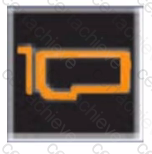
A customer notices that an indicator on the left control panel of the PowerEdge Server has turned solid amber.
What does this indicate?
Correct Answer & Rationale:
Answer: D
Explanation:
Dell PowerEdge servers are equipped with various LED indicators on the left control panel to provide immediate visual feedback about the server ' s status and component health. These indicators help in quickly identifying and troubleshooting issues without needing to access the system logs immediately.
Analyzing the Visual Indicators (Server Troubleshooting - 32%)
As per the " Server Troubleshooting " section, one of the key skills is to " Analyze the visual indicators on server components - system ID, PSU, and BLINK. "
Color Codes and Their Meanings
Solid Green Light : Indicates normal operation.
Blinking Green Light : Indicates activity (such as data transfer).
Solid Amber Light : Indicates a fault or error condition.
Blinking Amber Light : Indicates a critical error or failure.
Application to the PCIe Card Indicator
In this scenario, the customer notices that an indicator on the left control panel has turned solid amber . Specifically, this indicator is associated with the PCIe card.
Option A : " PCIe card is present. "
Presence is usually indicated by a solid green light, not amber.
Option B : " PCIe card performing a firmware update. "
Firmware updates are often indicated by blinking lights but typically not solid amber.
Option C : " PCIe card temperature is normal. "
Normal temperature conditions would not trigger an amber light; instead, they would maintain a solid green light.
Option D : " PCIe card experiences an error. "
A solid amber light directly correlates with an error condition in the component.
Conclusion
Given the meaning of the solid amber indicator and its association with error conditions in Dell PowerEdge servers, the correct interpretation is that the PCIe card is experiencing an error.
Dell Operate References
Server Components (26%) : Understanding server components like PCIe cards is crucial.
Server Troubleshooting (32%) : Analyzing visual indicators is a key troubleshooting step.
Analyze the visual indicators on server components : Knowing the significance of LED colors aids in swift problem identification.
Question 9
DELL EMC D-PE-OE-23
QUESTION DESCRIPTION:
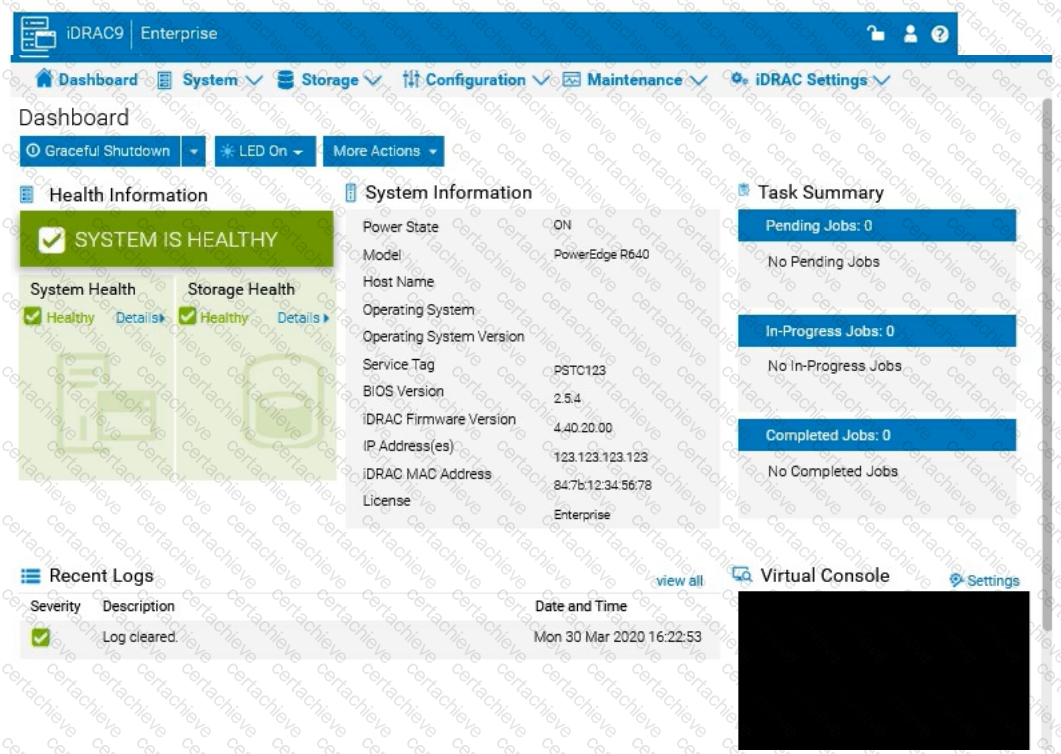
The system administrator receives an email notification on April 30, 2022 that a power issue was reported on the Dell PowerEdge R660. Which log entry helps them investigate this issue for that date?
Correct Answer & Rationale:
Answer: C
Explanation:
To investigate a power issue on a specific date, such as April 30, 2022, the system administrator should examine the iDRAC logs for entries related to power supply faults or failures. Here ' s how to approach finding the correct answer:
Step-by-Step Approach:
Access the System Logs:
In the iDRAC interface, navigate to the Dashboard tab.
Scroll down to the Recent Logs section or navigate to System Logs under Maintenance or iDRAC Settings (depending on the iDRAC version) to access detailed logs.
Filter Logs by Date:
Use the filter option to specify the date, focusing on entries from April 30, 2022. This will help narrow down relevant events.
Identify Power-Related Entries:
Look for log entries that mention power supply issues or voltage faults around the specified date. In this case, entries related to under-voltage faults or power supply failures will be critical.
Interpret the Log Entries:
Based on typical power fault logs, consider the possible answers:
A. Under voltage fault detection on power supply 1 : Indicates a voltage issue was detected on PSU1.
B. Power supply 2 has failed : Indicates PSU2 has completely failed.
C. Under voltage fault detected on power supply 2 : Indicates a voltage issue was detected on PSU2.
D. Power supply 1 has failed : Indicates PSU1 has completely failed.
The specific log entry depends on the exact wording in the logs. However, from the options provided, if the administrator received a notification about a power issue , the most likely scenario involves a failure or under-voltage detection.
Question 10
DELL EMC D-PE-OE-23
QUESTION DESCRIPTION:
Click the Launch Simulator button.
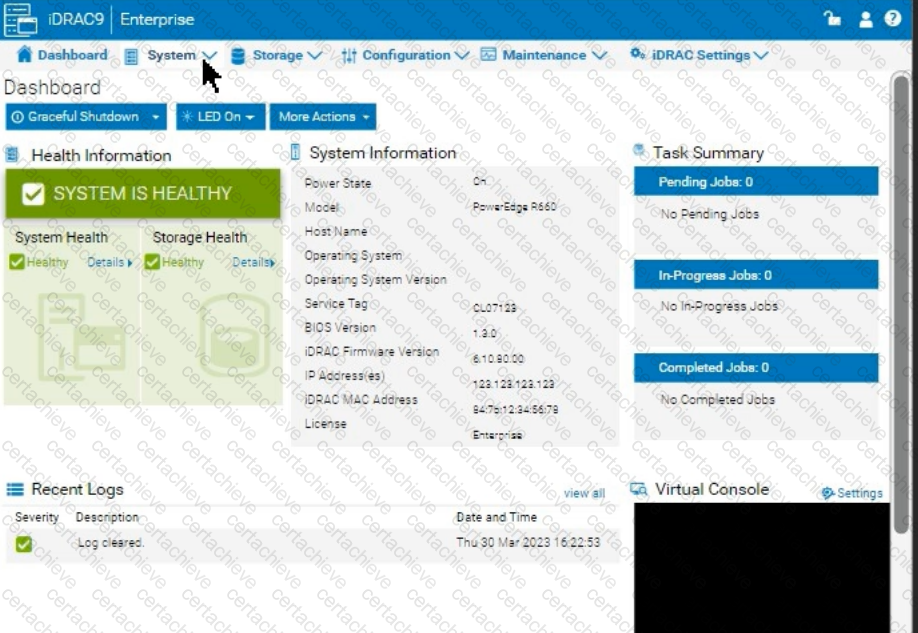
Using the iDRAC UI, what is listed as the Cache Memory Size for the H965i storage controller?
Note: It is necessary to close (x) the simulator window before you can select a response to this question.
Correct Answer & Rationale:
Answer: D
Explanation:
Launch the Simulator :
Open the PowerEdge iDRAC simulator to access the user interface and perform the required task.
Navigate to System Information :
In the top menu bar, select the " Configuration " tab.
From the options that appear, choose " Storage " . This section will display details and configurations for the storage controllers installed on the server.
Check the H965i Storage Controller :
Locate the H965i storage controller in the list. Selecting it should bring up a summary page with various specifications for the controller.
Look for the field labeled " Cache Memory Size " . This will provide the cache memory size value for the controller.

Verified by Certified Instructors
This DELL EMC D-PE-OE-23 study pack was audited and verified on September 23, 2026 by Radia Davenport,. We ensure every technical rationale aligns with real-world enterprise standards.
A Stepping Stone for Enhanced Career Opportunities
Your profile having DECA-PowerEdge certification significantly enhances your credibility and marketability in all corners of the world. The best part is that your formal recognition pays you in terms of tangible career advancement. It helps you perform your desired job roles accompanied by a substantial increase in your regular income. Beyond the resume, your expertise imparts you confidence to act as a dependable professional to solve real-world business challenges.
Your success in DELL EMC D-PE-OE-23 certification exam makes your visible and relevant in the fast-evolving tech landscape. It proves a lifelong investment in your career that give you not only a competitive advantage over your non-certified peers but also makes you eligible for a further relevant exams in your domain.
What You Need to Ace DELL EMC Exam D-PE-OE-23
Achieving success in the D-PE-OE-23 DELL EMC exam requires a blending of clear understanding of all the exam topics, practical skills, and practice of the actual format. There's no room for cramming information, memorizing facts or dependence on a few significant exam topics. It means your readiness for exam needs you develop a comprehensive grasp on the syllabus that includes theoretical as well as practical command.
Here is a comprehensive strategy layout to secure peak performance in D-PE-OE-23 certification exam:
- Develop a rock-solid theoretical clarity of the exam topics
- Begin with easier and more familiar topics of the exam syllabus
- Make sure your command on the fundamental concepts
- Focus your attention to understand why that matters
- Ensure hands-on practice as the exam tests your ability to apply knowledge
- Develop a study routine managing time because it can be a major time-sink if you are slow
- Find out a comprehensive and streamlined study resource for your help
Ensuring Outstanding Results in Exam D-PE-OE-23!
In the backdrop of the above prep strategy for D-PE-OE-23 DELL EMC exam, your primary need is to find out a comprehensive study resource. It could otherwise be a daunting task to achieve exam success. The most important factor that must be kep in mind is make sure your reliance on a one particular resource instead of depending on multiple sources. It should be an all-inclusive resource that ensures conceptual explanations, hands-on practical exercises, and realistic assessment tools.
Certachieve: A Reliable All-inclusive Study Resource
Certachieve offers multiple study tools to do thorough and rewarding D-PE-OE-23 exam prep. Here's an overview of Certachieve's toolkit:
DELL EMC D-PE-OE-23 PDF Study Guide
This premium guide contains a number of DELL EMC D-PE-OE-23 exam questions and answers that give you a full coverage of the exam syllabus in easy language. The information provided efficiently guides the candidate's focus to the most critical topics. The supportive explanations and examples build both the knowledge and the practical confidence of the exam candidates required to confidently pass the exam. The demo of DELL EMC D-PE-OE-23 study guide pdf free download is also available to examine the contents and quality of the study material.
DELL EMC D-PE-OE-23 Practice Exams
Practicing the exam D-PE-OE-23 questions is one of the essential requirements of your exam preparation. To help you with this important task, Certachieve introduces DELL EMC D-PE-OE-23 Testing Engine to simulate multiple real exam-like tests. They are of enormous value for developing your grasp and understanding your strengths and weaknesses in exam preparation and make up deficiencies in time.
These comprehensive materials are engineered to streamline your preparation process, providing a direct and efficient path to mastering the exam's requirements.
DELL EMC D-PE-OE-23 exam dumps
These realistic dumps include the most significant questions that may be the part of your upcoming exam. Learning D-PE-OE-23 exam dumps can increase not only your chances of success but can also award you an outstanding score.
Top Exams & Certification Providers
New & Trending
- New Released Exams
- Related Exam
- Hot Vendor
Verified Performance Reports
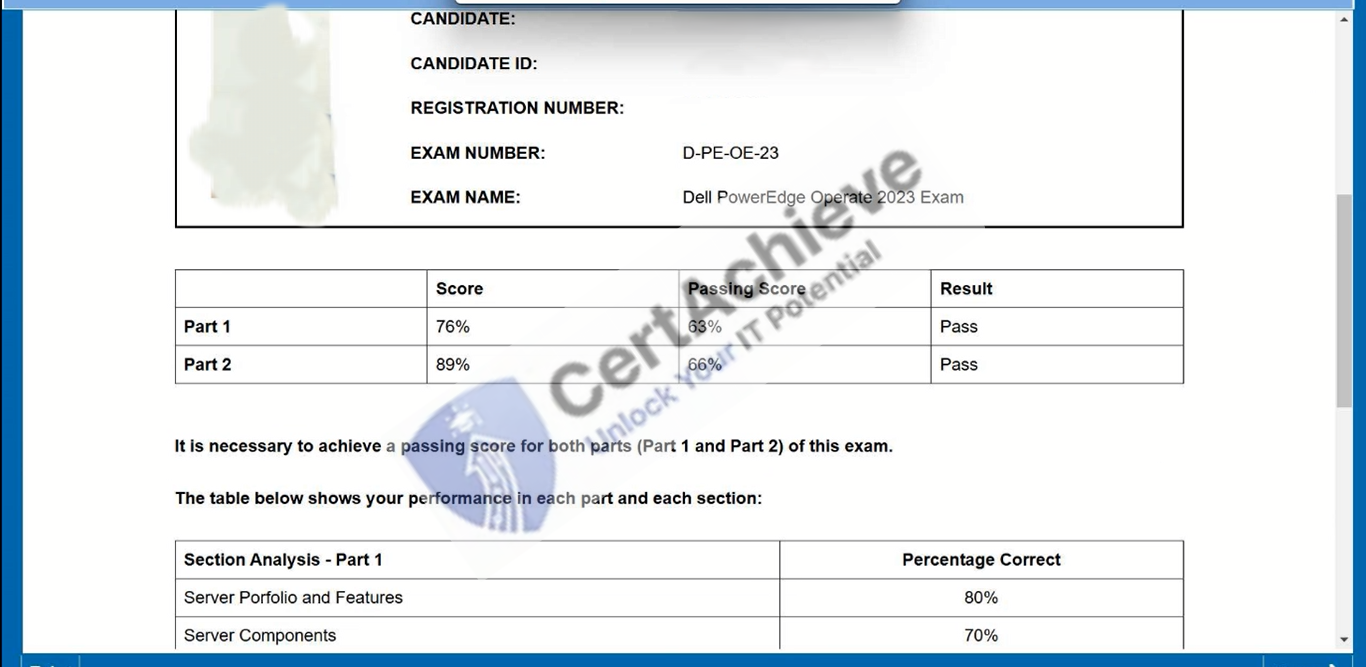
Authentic score reports from candidates who cleared the D-PE-OE-23 exam.
Verified Case #1
×
![]()